
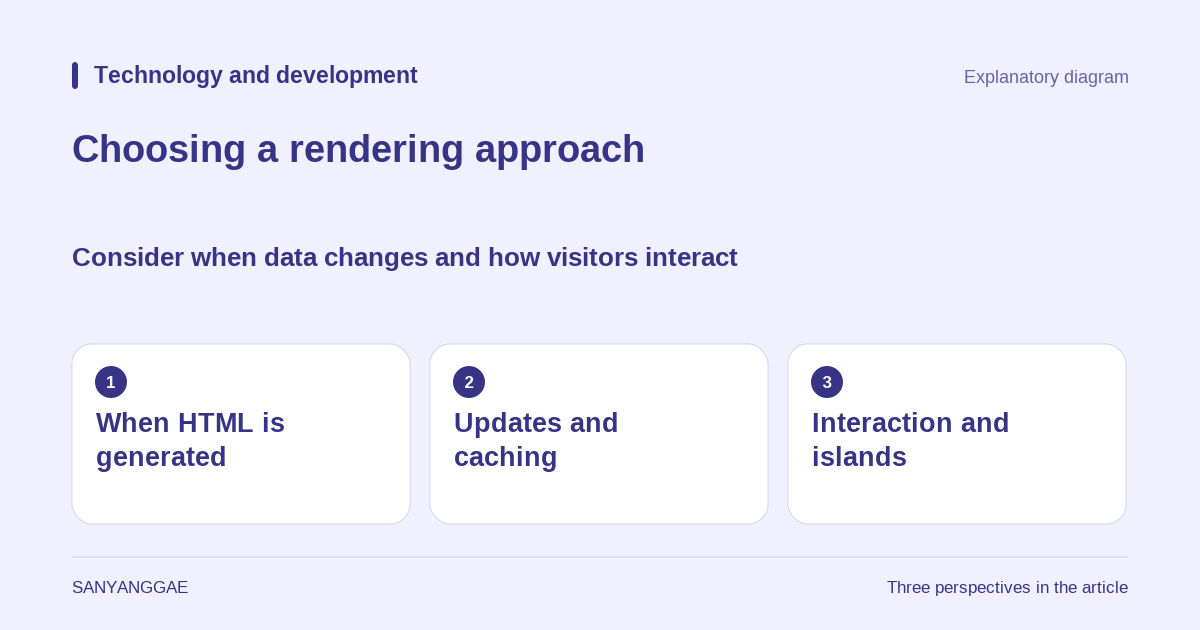
Imagine building an exhibition guide for a local museum. Exhibition descriptions change every few days, the remaining booking slots change frequently, and seat selection must respond to every click. These three features can use different rendering approaches. Consider separately when HTML is created, what triggers content changes and how visitors interact to clarify the reasoning behind each choice.
1. Start by comparing when HTML is generated
SSG generates documents at build time, while SSR generates them on the server processing the request. CSR uses JavaScript to construct or update the view in the browser. A site can mix these approaches by page. It is also common for the browser to handle interactions after receiving server-generated HTML.
| Question | Option to consider | Museum example |
|---|---|---|
| Is it the same for everyone and can a rebuild update it? | SSG | Permanent exhibition introduction |
| Do we need request-time information or user-specific values? | SSR | Member booking confirmation |
| Are interactions repeated within the view? | Use CSR where needed | Date and seat selection |
| Can we serve a slightly stale page while regenerating it? | ISR where supported | Frequently visited exhibition list |
The table provides starting questions for a decision. It does not rank performance. Even a static page can be slow if it ships large images and many scripts, and server rendering can be fast with an appropriate cache and a small response. Write down the requirements first, then connect them to an implementation. Starting with a technology name makes it easy to overlook when the data really needs to change.
2. Information can have different lifespans on the same page
On the museum guide, the exhibition title and location may be suited to a shared page body. The “remaining booking slots right now,” however, can change after they appear. Decide up to what point the displayed count can be said to be accurate and where the actual booking is confirmed. The completion of rendering does not guarantee that inventory or a seat has been secured.
Write down separately what administrators change and what visitors interact with. Check whether a typo in an exhibition description can wait until the next deployment, whether a closure notice needs to appear immediately and from which screens a canceled booking must disappear. Even for text, different acceptable delays call for different update paths.
When reviewing requirements, avoid relying on the word “real-time” alone. Specify whether checking again when a visitor presses the booking button suffices or whether changes must also be shown while the view is open. Comparing the needed accuracy with communication cost helps keep the implementation simple. Do not use a single word to require a persistent connection for every page.
3. Check where ISR is supported and how invalidation works
The Next.js ISR documentation describes regeneration of stored pages and the available ways to refresh them. Do not assume that other frameworks or static-file hosts offer the same settings under the name ISR. Check whether the actual runtime supports background regeneration and cache invalidation.
Suppose the museum edits its exhibition list. A successful edit request and every visitor receiving the new list are separate events. Decide whether the old version can be served during regeneration, which version to keep if generation fails and whether multiple servers share the same cache. The “Saved” message in the administration view should reflect this publication and update process.
In operational records, you can keep the source’s last modification time, the page generation time and the version actually served together. If a visitor reports that an updated description is missing, comparing the three makes it easier to distinguish a source-saving problem from delayed cache refresh. Visitors do not need to see internal server information, but operators need clues they can inspect.
4. Islands define the boundaries of interactive areas
Islands architecture identifies areas that need interaction or updates instead of treating the whole view as a single large client app. The exhibition description can be delivered as a document while only the date picker runs in the browser. Some environments, like the one described in Astro’s on-demand rendering guide, also allow this alongside page-level server handling.
Breaking up component boundaries does not remove communication or state-management problems by itself. If the seat list and payment summary both use the date selected on the calendar, decide how the three share state. Check whether distinct components repeatedly call the same API. The boxes on the screen and the ownership of the data do not always line up.
Server islands and client islands also have different roles despite their similar names. Receiving user-specific HTML later is different from changing a date in a view already received. Sketch arrows on paper to see which actions require a server response. Start by explaining what each click sends and what it waits for.
5. Check search visibility and accessibility on the actual document served
On content-focused pages, check how the title, description and main links appear in the initial document. Whether search crawlers can run JavaScript in general is insufficient to judge a particular page’s discoverability. Inspect the actual result for bad status codes, unreachable APIs, content disappearing during loading and broken links.
For booking, visitors also need to be able to choose a date and seat with the keyboard. Show selection results using more than color and describe in text whether the next step is available. If JavaScript is required, plan how to communicate that and what to show on failure. Judge whether visitors can understand the current state and finish the task regardless of whether the view came from the server or was built in the browser.
In a pilot, check a first visit, a repeat visit, a slow connection and a signed-out session separately. Only opening an already cached view on a fast development computer can hide the initial download cost or authentication-request delay. Record the necessary actions as actually performed instead of using a single score for both accessibility and performance.
6. Cache boundaries should follow public and personal information
The MDN HTTP caching guide distinguishes private caches such as those in browsers from caches shared by multiple users. That is why an exhibition introduction and a member’s booking confirmation require different caching conditions. Assess whether the document is returned quickly and whether it goes to the appropriate person.
Open the same booking URL with another test account and check whether the previous user’s information is visible when you refresh after signing out. Even if the public list is stored for reuse, the server must check current seat availability and permissions when a booking is confirmed. The rendering approach cannot replace those rules. At implementation meetings, treat performance and authentication as shared concerns rather than problems for separate teams alone.
7. Record a short rationale for each page
In the final design table, record the page name, values needed in the initial document, acceptable update delay, interaction frequency and what happens on failure. It is easier to make changes later when the rationale is clear, for example SSG for exhibition introductions, server handling on request for member bookings and client interaction where needed for the calendar. Meeting the requirements consistently matters more than using one approach for every page.
Return to these questions when adding features. Before asking whether to switch to a fashionable approach, ask what information the visitor is waiting for and when it must be accurate. Then weigh build time, server costs and maintenance difficulty to make rendering serve its intended purpose.